Add your repo
How do I start?
Connect a repository from any source control you use, GitHub, GitLab, Bitbucket, or Azure DevOps, including self-managed GitLab. That's the setup. (See every supported platform on Integrations.)
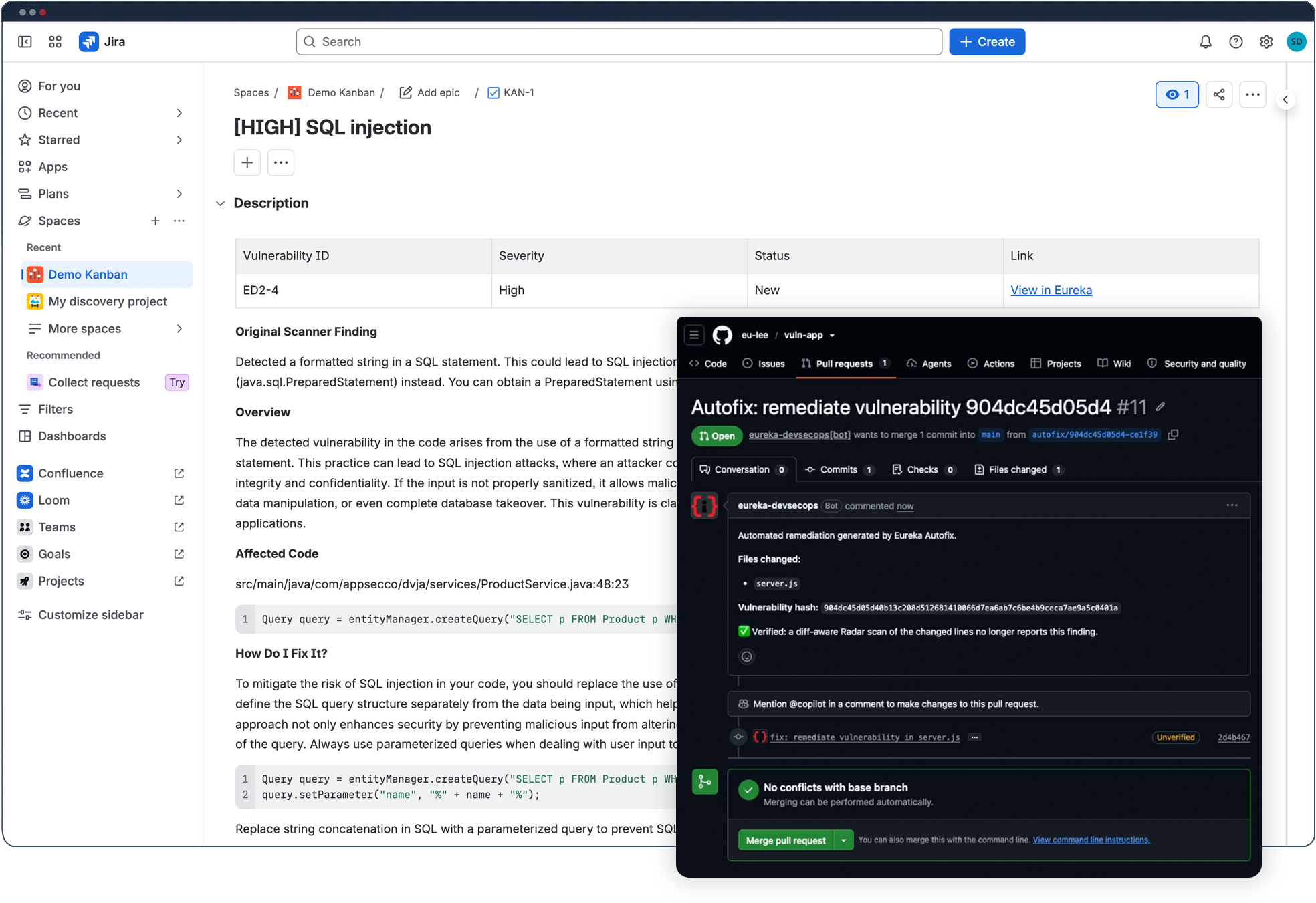
Add a repo and Eureka runs in the background, scanning on every commit and pull request, commenting where the work is, and staying inside the tools you already use.
No new dashboard to babysit. No AppSec homework.
30-day free trial. No credit card required.
How do I start?
Connect a repository from any source control you use, GitHub, GitLab, Bitbucket, or Azure DevOps, including self-managed GitLab. That's the setup. (See every supported platform on Integrations.)
When does it scan?
Traditional AppSec means wiring scanners into your pipeline, tuning them, and maintaining that plumbing forever, work that lands on the team least able to spare it.
Add a repo and Eureka runs an agentless managed scan right away. After that it scans automatically on every commit and every pull request. It's on by default, and the settings page lets you turn any trigger on or off.
New to this? Agentless scanning runs without installing anything in your environment, it's what you just saw. Agent-based scanning goes deeper for teams that want it.
What does it check without me configuring anything?
Out of the box, Eureka scans for leaked secrets, open-source vulnerabilities (SCA), and code vulnerabilities (SAST), using Eureka Radar Secrets, Radar SCA, and Radar SAST. They're built on trusted open-source engines, Eureka-tuned, and they just work. Nothing to configure.
How do I know it's safe to merge?
A scanner report in a separate tab doesn't tell a developer whether the code in this pull request is safe to ship.
On GitHub, Eureka posts a check right on the pull request. Green means no blocking issues, safe to merge and deploy. You decide what "blocking" means: a severity threshold, an exploitability-score threshold, or an SLA. The check enforces your rules, in the place developers already look. PR-check enforcement is GitHub-only today; enforcement on GitLab, Bitbucket, and Azure DevOps is in progress. General repository, CI/CD, and scanner integrations remain supported across those platforms.
What happens when something's wrong?

If the check finds real issues, Eureka comments on the PR with what they are, and opens issues in your tracker, Jira, GitHub Issues, or Linear. The developer never leaves the workflow to find out what to do next.
Can I catch things even earlier?
Radar CLI runs the same scans on your machine, before you open a PR. One line to install, one line to run. macOS, Linux, and Windows. For teams that want to shift left, it's security you can run while you're still coding, no waiting for the pipeline.
Eureka is designed to reduce AppSec drag by bringing findings into the development workflow and only blocking work according to the thresholds your team chooses.
Eureka can scan when a repository is added, when commits are pushed, and when pull requests are opened. Teams control which triggers are active.
Eureka can check for code vulnerabilities, vulnerable dependencies, leaked secrets, and software supply-chain risk using built-in scanning coverage.
No. PR-check enforcement is GitHub-only today. Teams define what should block. Policies can use severity, exploitability, SLA, or other configured criteria so developers are not blocked by every finding. PR-check enforcement on GitLab, Bitbucket, and Azure DevOps is in progress.
Yes. Eureka provides finding context and remediation guidance so developers can understand the issue, where it appears, and the expected action.
Yes. Eureka is designed to fit into source control, pull requests, CI/CD, and ticketing workflows rather than forcing developers into a separate security process.
Agentless scanning, nothing to configure. Connect your first repo and Eureka takes it from there.
30-day free trial. No credit card required.